Showing posts with label Videocon Flash Volcano Tool. Show all posts

Friday, September 19, 2014

Videocon V1451 MTK 6252 CPU Format Success With Volcano Tool


How to flash Videocon V1451 with volcano tool? The below is the process to flash Videocon V1451 with Volcano Utility. Here is the process to format this phone and in this way you can write flash and read info of this phone.
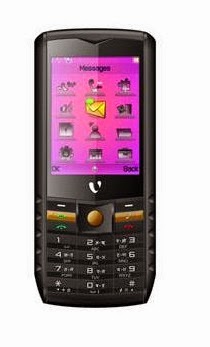

Videocon V1451 Flashing Process with Volcano

Videocon V1451 Format Done With Volcano Tool


Detection initiated, connect the phone and power on it...
  Vcc: null
  Gnd: 2 7
  Waiting for phone's response,please press Power on/off button...
  Connecting...
  Hardware version:CA04
  Software version:0100
  CPU TYPE:6252
  Internal version:8B00
  Boot downloading complete!
  Flash ID: 00C2002500370000
  Flash Type: SF_MX25U6435E             
  Chip Capacity: 0x800000(8MB)
  Mobile phone software version for:U39901ZM580A1.0T23D0621
  Baud adjust...complete.
  Format range: Start Address: 0x740000,Format Length :0x0C0000
>>Flash erasing complete!

Friday, July 25, 2014

Videocon V1805 MTK 6235 CPU Read Flash Success With Volcano Tool V2.4.7


Videocon V1805 which has a MTK 6235 CPU has been successfully read flash, write flash and format done with USB Mode using Volcano Tool. The below is the procedure to Read Flash of Videocon V1805 6253 MTK CPU phone on that basic you can also Flash, write flash and format the phone. See the below for step by step procedure to read flash of Videocon V1805 with Volcano Box/Tool/Utility.

Videocon V1805 CPU & Flash File Details


Hardware version:8A04
Software version:8A01
CPU TYPE:6235
Internal version:0000
Boot downloading complete!
Flash ID: 00AD00A100000015
Flash Type: NAND_H8BCS0PG0MBP          
Chip Capacity: 0x8000000(128MB)

Videocon v1805 read flash volcano tool MTK 6235
Videocon V1805 Read Flash Volcano Tool

  • Open Volcano Utility
  • Go to MTK Tab
  • Select Read Flash
  • Select Built in Boot Auto
  • Tick USB Mode
  • Do not Tick on Auto Detect Pinouts
  • Click on Start
  • Now Connect the phone with USB Cable by holding the center Button


Videocon V1805 Volcano Tool Log:

Analysis of USB port,Please insert phone USB cable.
  Connecting...
  Hardware version:8A04
  Software version:8A01
  CPU TYPE:6235
  Internal version:0000
  Boot downloading complete!
  Flash ID: 00AD00A100000015
  Flash Type: NAND_H8BCS0PG0MBP         
  Chip Capacity: 0x8000000(128MB)
  Flash reading complete!
  Spend time 130.5 s
  18429142[SMS lock]
  63286055[SMS lock]
  4406[SMS lock]
  6400[SMS lock]
  0090801[SMS lock]
  Found 5 possible passwords.
  usercode:2580
>>The data has been saved in C:\Users\------\Desktop\V1805\WINGPLUS35_09A_BOOTLOADER_V005_MT6235B_W22901ZM750A1_0T26D0910.bV005.bin, size: 132 M.

📚 You May Also Like to Read