Showing posts with label Nokia PC Suite. Show all posts

Thursday, October 17, 2013

How to Download Songs, Musics, Videos and Photos to Nokia Lumia 520 Windows Phone 8 - Windows XP


If you have a Nokia Lumia 520 Windows Phone 8 and want to download songs, videos, musics and photos etc. to your Nokia Lumia 520 then follow the steps below. So now Windows phone 8 has a File Explore option through which you can transfer musics to the Nokia Lumia 520 easily. To download or transfer Music, photos and videos to Nokia Lumia 520 you do not need any software to Install on the computer.


So here is the way, how you can transfer music, videos and photos etc. to the Nokia Lumia 520 Windows Phone 8. Here is the example of Nokia Lumia 520 Windows Phone 8 on a Windows XP Computer.


Steps:


  • Connect the Nokia Lumia 520 to Computer via USB Cable


  • If it asked to Install Driver (Found New Hardware Wizard) Hit Cancel


Nokia Lumia 520 Windows phone 8 Found Driver Installation

  • Now Open your My Computer ( You will find a mobile icon "Windows Phone")


Nokia Lumia 520 Windows Phone 8 File Explorer


  • Double Click on Windows Phone to Open the Nokia Lumia 520 Storage


Nokia Lumia 520 Windows Phone 8 Properties


  • Then download songs, videos and photos from your Computer (As you transfer something to Pen Drive or Memory Card)


Monday, October 14, 2013

Your Computer Needs a Windows Certificate : (VeriSign Primary Intermediate CA Certificate) is Missing From Your Computer


If this message appear, when you install Nokia PC Suite then follow the below steps to add the Verisign primary intermediate CA certificate to your computer.


VeriSign Primary Intermediate CA Certificate Nokia PC Suite


Steps:


  • Copy the Primary Intermediate CA Certificate


  • Open Notepad and Paste there and Save as Certificate1.cer

  • Now Copy the Secondary Intermediate CA Certificate

  • Paste in Notepad and Save as Certificate2.cer

  • Now open MMC Console ( Start--> Run ---> mmc ---> OK)

  • In the Console Root Click on File Menu --> Add-Remove Snap-in

  • Click on Add --> Add Standalone Snap-in ---> Select Certificates--> Click OK --> Select Computer account--> Click Next--> Click Finish


  • Click Close on Add Standalone Snap-in --> Click OK

  • Click on the + mark left to Certificates (Local Computer)

  • Right Click on Intermediate Certification Authorities--> All Tasks--> Import--> Click Next-->Browse the Certificates you have saved and Select(Here it's Certificate1)--> Click Next--> Click Next--> Finish

Certificates Import Windows XP


  • Certificate Import Wizard, The import was Successful Click OK

  • Do the Same for Certificate2

Now Install Nokia PC Suite/Nokia Suite on the Computer


Tuesday, September 10, 2013

Zune Installation Failed Error code: 0x80070643 Solved : Windows XP SP3


If you are facing this problem while installing Zune software for windows mobile phone on your Windows Xp sp3 PC, the problem is 

"INSTALLATION FAILED
Setup must stop because the required package 'Windows XP MBR Update' didn't Install.
Error code: 0x80070643


Zune Software Installation Error 0x80070643 on Windows XP


In this post you can solve this Zune Installation error by following the below steps.


1) At least you should have Windows Xp SP3 Operating system.

2) Download and Install Dot Net Framework 3.5, Microsoft .Net(dotnet) Framework 3.5 SP1 [Offline Version] 

3) Download and Install Windows Media Player 11 on Windows XP SP3.

4) Now Install Zune 4.8 (ZunePackage)


Now the installation problem error: 0x800070643 has been solved, install zune on your windows xp PC without any error.


Thursday, August 22, 2013

Nokia Lumia 720 PC Suite, Zune Software and Windows Phone App For Desktop | How to Download/Add/Sync/Transfer Songs, Videos, Photos, Ringtones to Nokia Lumia 720 Phone From Computer Windows/Mac


Microsoft Windows has two operating system for mobile phone, one is Windows Phone 7 and Windows Phone 8. Nokia Lumia series has the Windows phone operating system, the latest lumia series comes with the Windows Phone 8 operating system and older lumia series has the Windows Phone 7 OS. The Nokia Lumia 720 comes with the latest Windows Phone 8 OS.
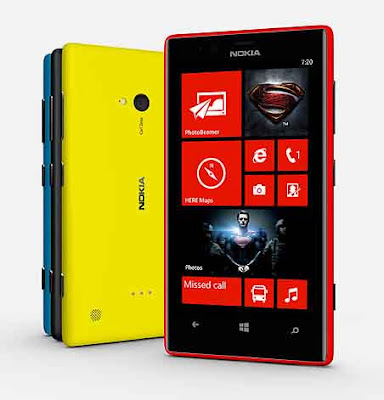

Nokia Lumia 720, Sync Software for Windows and Mac, Transfer music and other media files to Nokia Lumia 720 from PC


If you want to sync photo, music, ringtone, video etc. to Lumia phone with your computer or if you have question that how you can transfer/download/add songs, videos to Nokia lumia phone from your computer then you have to install a software called Zune Software for Windows Phone 7 or Windows Phone app for Desktop for Windows Phone 8 on your computer or for the Nokia Lumia Phone having Windows phone 8 OS you can use Windows explorer/File explorer.


There are a number of different software/apps/tools available for sync your Nokia lumia phone with computer, the apps and tools can be different on the basis of what kind of computer you use i.e. Windows 8/7/Vista/XP or a MAC PC and which operating system your Nokia Lumia phone has whether it's Windows Phone 7/8 OS. So for Nokia lumia phone you may need either Zune Software, Windows Phone app for Desktop or Windows Phone app for Mac.

Nokia Lumia Sync Software For Windows Phone 7

For Windows

Zune Software is the only PC sync/PC suite software for Nokia Lumia Phone (Windows Phone 7 OS) to use for sync/add/download your photos,videos, musics and all of your media files. Zune software can be download from Windows Phone website or Click Here to go to the download page. Supported OS for Zune Software Windows XP SP3, Windows Vista, Windows 7 and Windows 8, It won't work on Windows RT.


For Mac 

To sync your media files from your Mac with Windows phone, you have to use 'Windows Phone app for Mac' which is available on Mac App store. The Windows phone connector/Windows Phone App for Mac can be used for synchronise video, music, photos etc. with your phone and also you can download phone updates.

So finally we got that, if you are using a Nokia Lumia Phone having the Windows Phone 7 operating system, then you need 'Zune Software' for Windows and For Mac you will use 'Windows Phone app for Mac' to sync files.

Nokia Lumia Sync Software For Windows Phone 8


For Windows

Windows 8 PC
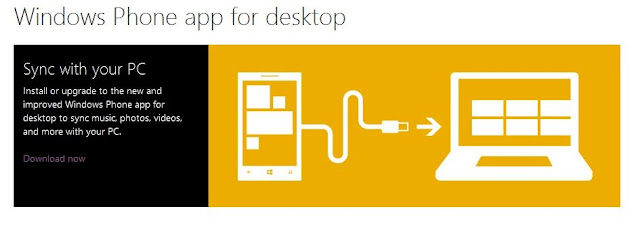
If you are using Windows 8 PC, Use the Windows phone app or Windows Phone app for desktop or Windows Explorer/File Explorer.


Windows Phone app for Desktop, sync with your PC, Windows Phone 8 Sync Software for Desktop


Windows 7 PC

If you have Windows 7 PC and want sync your media files with Nokia Lumia phone, you can use the following options.


Windows Vista or XP PC

For Windows Vista or Windows XP PC, you have two options.


For Mac

Use Windows Phone app for Mac to sync media files.


Search Tags:

  • how to download songs to my nokia lumia 720
  • how to transfer music, video, pictures to my nokia lumia
  • how to sync media files with computer windows phone 7/8
  • how to download to nokia lumia mobile
  • how to add songs to my nokia lumia phone with windows phone 8 OS
  • how to sync videos and all other media files form computer to Nokia Lumia 720
  • nokia lumia 720 with windows phone 8 OS how to add songs
  • nokia lumia 720 PC suite software download
  • nokia lumia PC suite/Zune software/sync app for windows and mac
  • PC sync software for windows phone 8 for windows PC and Mac
  • how to sync contacts and others to my nokia lumia handset
  • how to add/transfer/sync songs,videos,mp3,photos etc on nokia lumia phone from computer


Monday, August 6, 2012

Nokia Lumia 610 Zune Setup (PC Suite Software)


As we know that to connect Nokia phone to PC, need Nokia suite or Nokia PC suite to install on the Computer. But if you have Nokia Lumia series then the Nokia suite will not support to transfer songs or any other medias to the Phone because the Lumia series has Windows Operating System, So for that you have to download and install Zune software on your PC.

Nokia Lumia Mobile PC Suite Software download

If you are using Nokia Lumia series for first time then do not know how to transfer songs from computer to Nokia Lumia 610,710 etc. and the answer is to download Zune software and install it, Connect the Phone through usb cable open Zune Software, Select the sync folder from settings. For more help open Zune Software, click on Help Option. 

To Download Zune Software
www.zune.net
or
http://www.microsoft.com/windowsphone/en-in/apps/zune-software.aspx

To Download Zune Software 4.8 Zune Package go to this link

http://www.microsoft.com/en-us/download/details.aspx?id=27163

📚 You May Also Like to Read