VIVO V7 : FRP Unlock and Hard Reset Solution
How to hard reset and unlock FRP lock of ViVo V7? The phone has Funtouch OS 3.2 and runs on Android 7.0 Nougat with Qualcomm Snapdragon SDM450 Chipset with Octa-core 1.8GHz Cortex-A53 CPU and with Adreno 506 GPU. The also has 32 GB internal storage and 4 GB RAM and you can expand external storage up to 256 GB, you can get more details about this product by visiting the VIVO Global website [Visit ViVo Global].
In this article you will know how to hard reset and unlock factory reset protection of your Vivo V7 Android 7.0 smartphone. Here you can also download Vivo frp unlock .mbn loader file for free, which can be used in RB Soft Mobile Tool to do hard reset and unlock frp lock of the Vivo V7. Please go through the topic below to download FRP unlock file and free Vivo frp unlock tool.
Downloads:-
File Name: prog_emmc_firehose_8953_ddr_vivo_v7.rar
ViVo V7 FRP Unlock File
(pass = freecomputertricks)
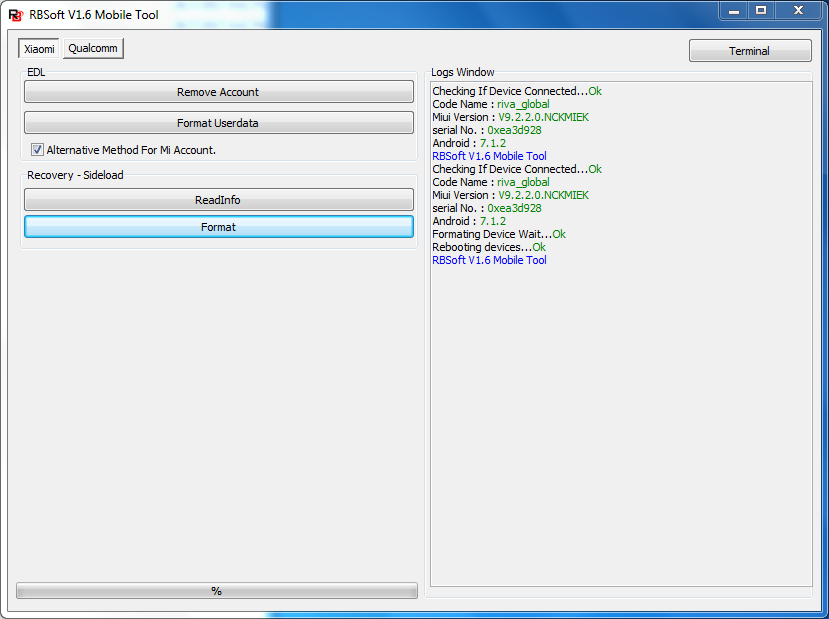
RBSoft Mobile Tool V1.6
ViVo V7 FRP Unlock and Hard Reset Using RBSoft Mobile Tool:-
That's all now you have successfully hard reset and unlock factory reset protection or frp of Vivo V7 Android 7.1.2 Nougat with Funtouch OS. The vivo frp unlock tool can be download free here which is 100% tested and working and also you can download the vivo v7 emmc loader file for frp unlock.
 |
| VIVO V7 Android 7.0 Free Hard Reset and FRP Unlock Tool |
In this article you will know how to hard reset and unlock factory reset protection of your Vivo V7 Android 7.0 smartphone. Here you can also download Vivo frp unlock .mbn loader file for free, which can be used in RB Soft Mobile Tool to do hard reset and unlock frp lock of the Vivo V7. Please go through the topic below to download FRP unlock file and free Vivo frp unlock tool.
Downloads:-
File Name: prog_emmc_firehose_8953_ddr_vivo_v7.rar
ViVo V7 FRP Unlock File
(pass = freecomputertricks)
RBSoft Mobile Tool V1.6
ViVo V7 FRP Unlock and Hard Reset Using RBSoft Mobile Tool:-
- First Download the above Vivo FRP unlock tool and Vivo V7 .mbn file.
- Now open RB Soft Mobile FRP Unlock and Hard Reset Tool V1.6.
- Go to the Qualcomm Tab and then select "Manual Loader".
- Now choose the ViVo V7 emmc loader you have downloaded (prog_emmc_firehose_8953_ddr_vivo_v7.mbn).
- Now connect the Vivo phone with EDL Mode (Hold both volume keys and connect USB for EDL Mode)
- Now click on "Format Userdata" for hard Reset (First do hard reset then frp unlock).
- After reboot the device, check if it's ask for Gmail verification or frp lock, then switch off the phone.
- Now connect the phone again with EDL Mode and click on "Reset FRP"
That's all now you have successfully hard reset and unlock factory reset protection or frp of Vivo V7 Android 7.1.2 Nougat with Funtouch OS. The vivo frp unlock tool can be download free here which is 100% tested and working and also you can download the vivo v7 emmc loader file for frp unlock.