Showing posts with label FRP Unlock. Show all posts

Friday, April 9, 2021

VIVO Y71 prog_emmc_firehose_8917_ddr_Vivo_y71 MBN File Download (VIVO Y71 Hard Reset and FRP Unlock File)


Hi friends, if you are searching for VIVO Y71 firehose file or mbn file then here the direct download link for the emmc firehose vivo y71 file. This file is required for Vivo Y41 Factory Reset or Hard Reset or for Pattern unlock or for password/pin lock and also this file can be use for Vivo y71 FRP unlock or Google account bypass. To use this file you need a Mobile flash tool like Miracle Box or Miracle Thunder or any other supporting software Box.


VIVO Y71 FRP Unlock and FRP Unlock File Download 


VIVO Y71 prog_emmc_firehose_8917_ddr_Vivo_y71 MBN File Download (VIVO Y71 Hard Reset and FRP Unlock File)


This file can downloaded from Mediafire and the direct link given below without any password you can unzip the file, Please visit the link below to download VIVO Y71 loader file from mediafire.com.


Download VIVO Y71 MBN File or Loader (Qualcomm) DOWNLOAD HERE


Thursday, August 29, 2019

Mi Note 5 (MEI7) mbn File Download Here


Hi welcome all, here you can download Xiaomi Redmi Mi Note 5 MEI7 .mbn file which is required to flash the phone and as well as to format FRP lock of the phone, So if you need Mi note 5 mbn file then here is the solution just download Mi note 5 mbn file free from the below link.

Mi Note 5 mbn File:

Download: Zip File Mi note 5 (MEI7).rar
File Name: prog_emmc_firehose_8953_ddr.mbn
Size: 355KB

Free Computer Tricks - Download Mi Note 5 .mbn file Free

Mi Note 58 mbn File Download Link | Download Here

Password for the zip file : FCTnote5

Sunday, December 2, 2018

All NOKIA Android Smartphone ADB Mode FRP Unlock Tool Free Download Here


How to unlock frp of Nokia 3.1 plus Android smartphone and file download here. Here is the complete info to use the tool and here you can also download the NOKIA FRP Bypass Tool, working on all New Nokia Android smartphones releases by HMD Global. So bypass Google account verification lock on Nokia 3.1 Plus TA-1118 using the small and useful FRP tool. In this procedure you do not need any flashing box to unlock the Nokia phone, just use the trick given in this video and use the Nokia FRP Unlock tool to reset FRP or bypass Google account lock.
 
All NOKIA Android Smartphone ADB Mode FRP Unlock Tool Free Download Here


You can also watch the video tutorial on the Free Computer Tricks YouTube Channel to know how to enable locked Nokia 3.1 Plus Android phone USB debugging and then allow USB debugging on the phone screen and follow the unlock procedure on PC. Here you can also download Nokia 3.1 Plus FRP unlock tool free and use it to reset or unlock Factory Reset Protection of Nokia 3.1 plus phone and this tool is working on all most all Nokia Android phones.
 
NOKIA Android 8.1.0 Google Account Bypass or FRP Unlock Tool - Free Download Here


Nokia 3.1 Plus Software Info:
  • Device Name: Nokia 3.1 Plus
  • Model: TA-1118
  • Android version: 8.1.0
  • Android security patch level: 5 October 2018
  • Baseband version: MOLY.LR12A.R2.MP.V37.P17
Nokia Bypass FRP Google Account Android 8.1.0 Nokia 2/3/5/6/8 and all new models releases, So just follow the tutorial here and download the ADB FRP unlock tool for Nokia New phones and unlock FRP of Nokia all New Android smartphones.
NOKIA Android 8.1.0 FRP Done - Allow USB Debugging on Locked Phone

How To Use Nokia ADB FRP Tool?
  • Download the tool and unzip it using password given below.
  • Now enable ADB or USB debugging on the FRP Locked NOKIA phone (Watch the video below)
  • Now run the BYPASS-FRP.bat in the Nokia FRP folder.
  • Allow USB debugging on phone screen.
  • Now press any key to close FRP Reset Window.
  • Then Reboot the phone and it's done.
Download Nokia Android FRP Unlock Tool:

All Nokia ADB FRP Reset Tool Free Download Here | Download Link
Password = Nokia@FCT@FRP

Search Keywords:
Nokia 1 hard reset
Nokia 3 hard reset
Nokia hard reset
Nokia 3.1 frp
Nokia ta 1083 hard reset
Nokia 3 soft reset
Nokia 1 recovery mode
Nokia 8 hard reset not working
Nokia 3.1 plus hard reset
Nokia TA-1118 hard reset and frp
Nokia HMD Global Android phone hard reset and frp Unlock.
Nokia new Android phone hard reset and google account unlock without box.

How to Hard Reset Nokia 3.1 Plus?
How to hard reset Nokia TA-1118?
Nokia TA-1118 FRP unlock file and tool free download.

Friday, November 30, 2018

Micromax Canvas 2 Q4310 FRP Unlock File and Unlock Tool Free Download


Hi friends, here is the free Account unlock solution for Micromax MediaTek Canvas 2 Q4310. Download free frp or Google account unlock file and flash tool, then follow the procedure here to unlock the phone, which is absolutely free, just download the Smartphone flash tool and FRP file and Google Account unlock.
Micromax Canvas 2 Q4310 Android 7.0 FRP Unlock File and Free Unlock Tool

Micromax Q4310 Software Info:
 

Model number: Micromax Q4310
Android version: 7.0
Android security patch: June 5, 2017
Internal Storage: 16GB
RAM: 3GB
Processor: MT6737
Baseband version: MOLY.LR9.W1444.MD.LWTG.MP.V110.5.[14,2017/06/01 21:38
Kernel version: 3.18.35 android@localhost #1
Build number: MMX_Q4310_SW_V2.0_HW_V2.0_20062017
Hardware version number: v2.0.0


Micromax Canvas 3 Q4310 Android 7.0 FRP Unlock File and Free Unlock Tool.
Micromax Canvas 2 Q4310 FRP Unlock File and Tool Free Download Here

Q4310 FRP Format Address SP Flash Tool:

Begin Address [HEX] : 0x6a00000
Format Length [HEX] : 0x100000


Q4310 FRP File and SP Flash Tool Download Here:

Password = Q4310@fct
Download Q4310 FRP Unlock File | Download Link
Download SP Flash Tool (SP_Flash_Tool_v5.1844_Win.rar) | Download Link

Q4310 How To FRP Reset - SP Flash Tool?
  • Open SP flash tool and load the Android scatter file.
  • Download Agent file select DA_SWSEC.bin
  • Now go to format Tab and select Manual format flash.
  • Now enter the begin address and format length.
  • Click on Start and connect the switched off phone to PC.
  • After format OK, remove the phone and switch on It.

Q4310 How To FRP Reset - SP Flash Tool
Watch the Video Tutorial Here 

Tuesday, September 25, 2018

Moto Fastboot FRP Unlock Tool - Reset/Bypass All Moto Qualcomm FRP Lock For Free !!!


Hi all, here is another interesting tutorial about Factory Reset Protection FRP bypass. If you have Moto any model with Qualcomm CPU or Chipset then use this method of Fastboot FRP Unlocking using the Free Fastboot Boot FRP Tool for Moto Qualcomm based phones. This method is so easy and working on Android 7.0 on any Moto smartphone having Qualcomm chip-set. So please follow the below tutorial to know how to remove FRP of Moto using Fastboot Mode.

Here you can also download the Moto Fastboot FRP Unlock tool for free and it's small Windows software or tool, that can do the FRP unlock of any Moto smartphone with Fastboot mode, you can also watch video tutorial on YouTube to know how to use the FRP tool, tested on Moto Qualcomm Android 7.0.
Moto Fastboot FRP Unlock Tool - Bypass All Moto Qualcomm FRP Lock Tool For Free !!!

How To Enable USB Debugging On Moto Locked?

If you need to know how to enable USB debugging on a frp locked Moto phone, without using internet or any other Android application, then here is the best way to enable ADB or USB debugging on a FRP Locked Moto smartphone runs on Qualcomm chip-set. To enable ADB this tool is very use full and easy to use, just put the phone to Fastboot Mode and execute the small FRP tool and it will do the reset procedure automatically, and you need to do one thing just Allow USB Debugging and tick the Always allow from this computer and then click on OK, and finally this tool will unlock the FRP lock of the phone. 

How to Use Moto Fastboot FRP Tool?

Here is full procedure to know, how to use Moto Fastboot FRP tool and where to download it, as said before you can also watch out YOUTUBE video tutorial to know the success report of this Moto Fastboot FRP Tool.

Steps:
  • Download the Moto Fastboot FRP Tool (Link given below)
  • Open the tool and use the password (Given in this page below the download link)
  • Now put the phone to Fastboot Mode and connect to PC
  • Then the tool will automatically do the things and the phone may reboot several times.
  • In the last step Allow USB Debugging on the phone screen and the again reboot and it's done.
That's all now you have successfully bypass/unlock/remove Moto FRP lock using the free Moto FRP Reset Tool 2018. For more details you can watch the YouTube Video Tutorial link given below.

Watch Moto FRP Unlock Tool Video Tutorial Here (Watch Here)

Moto Models Supports With This FRP Tool:

All most all Moto Lenovo Qualcomm based Android 7.0 phone is supported with this frp tool and to know the procedure you can watch YouTube video tutorial about How to use Moto Lenovo Fastboot FRP Unlock tool, visit the above link.

Moto FRP Never Easy Before:

After using this tool, you can easily remove/bypass/reset frp lock of any Motorola Lenovo smartphone using the fastboot mode or bootloader mode of the moto phone, here you can download the Fastboot frp unlock tool moto free and without password but you need to enter password to open the tool and the password given below and thank you to the creator of this tool.

Moto Android 7.0 FRP Bypass Fastboot Tool:

This small tool can help a lot, to unlock frp lock of the Moto Android 7.0 and it's tested on so many models of Moto runs Android 7.0 and you can also try this tool on Android 8.1 Moto Qualcomm smartphone. Just put the phone to Bootloader or Fastboot Mode and use the frp unlock tool and in the last step Allow USB Debugging on the phone screen and you are done.

~~~~~~~~~~ DOWNLOADS ~~~~~~~~~~

Moto Fastboot FRP Tool | Download Link
Password to open the tool = iguru4life

Moto ADB (Android Debug Bridge) 

In this process and using this tool you can enable the ADB interface of the Moto phone which is FRP locked or google account locked. If you are searching to know how to enable USB debugging or ADB on the frp locked moto phone then here is the solution, which enable ADB on the moto phone and do the frp reset of the phone automatically. Please watch the video (link given above) and know the full procedure to use this Fastboot FRP Unlock Tool.

Friday, September 7, 2018

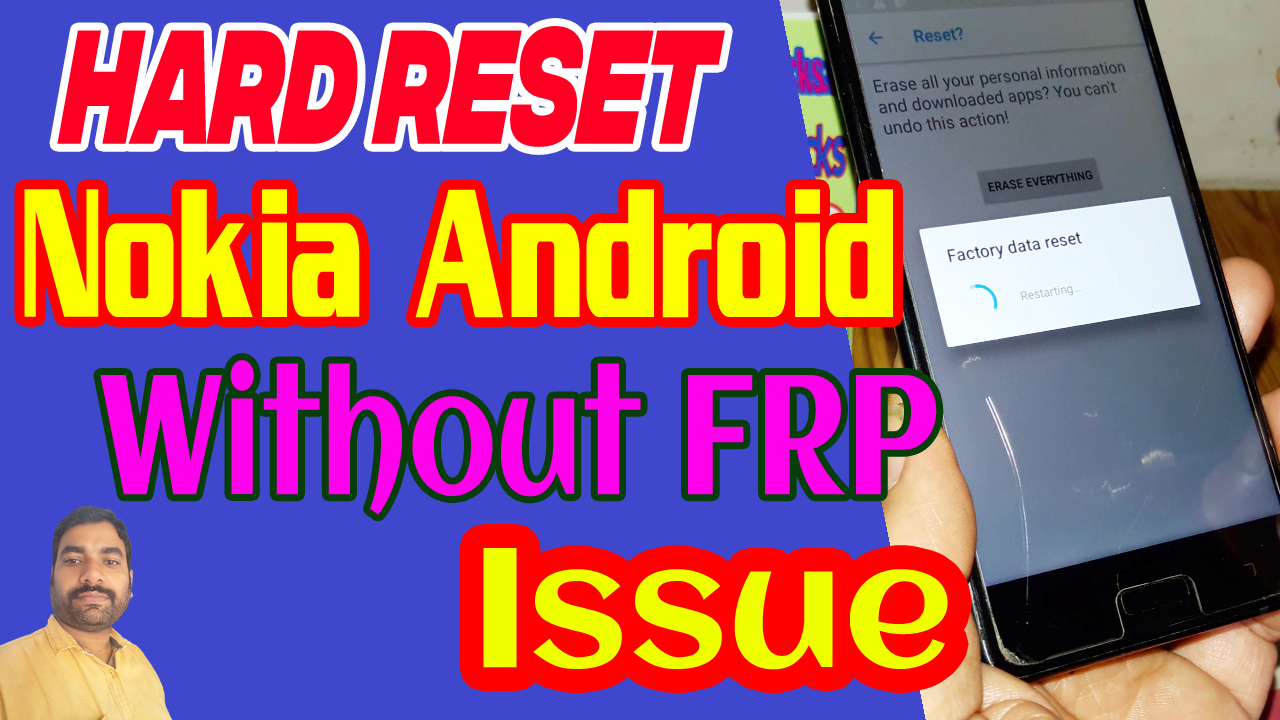
How to Avoid FRP Lock Issue While Hard Reset an Android Smartphone?


In this tutorial you will know how to Hard Reset Nokia Android Phone, without Google reactivation lock or Factory Reset Protection lock or so called FRP lock. Let me clarify this, when you Hard Reset any Android Smartphone (Android 5.0 or above) using the phone settings, after Factory Reset it will ask to enter the Gmail ID and Password previously used on that phone and it's called Factory Reset Protection Lock or FRP Lock and if you forgot the Gmail id and password then you must unlock the phone and Android unlock is a very long procedure and sometimes you may need to visit the nearest Phone Repair Shop. So this tutorial helps you to complete Hard Reset the Android phone any  Android version without re-lock issue and this process will also helps you to do Factory Reset the phone and after Hard Reset it will not ask any Gmail id and Password, if you forgot the Google account id then create a new one and use on the same phone.

Before Hard Reset Android 5.0 or Above, Please go through this Video Tutorial, which very helpful to the users who need to Reset the phone to it's Factory Defaults and after Hard Reset it will never ask to enter your Google account details and here is the example of Nokia 5 TA-1053 Android 8.1.0 Smartphone Hard Reset without Google Reactivation Lock and this is very useful for the end users.
How to Avoid FRP Lock Issue While Hard Reset an Android Smartphone?

This procedure is for Factory Reset using the Settings menu of the phone and it if the phone locked and you forgot the pattern lock or pin lock then this procedure will not work, and also if you are doing hard reset using buttons then also this may not work if you do not enable the OEM unlock and Developer Mode. To know the complete step by step procedure please watch the video below and if it's helpful then subscribe to my YouTube channel and like the video and share it to help others.


Search Tags:
Hard Reset Nokia Android Phones Without FRP
Factory Reset Nokia Android Smartphones Without Reactivation Lock
How to Hard Reset the Android phone without FRP issue
Nokia 5 Hard Reset without FRP Lock Issue
Nokia 5 Android Developer Mode
Nokia 5 OEM Unlock
Nokia 5 Hard Reset Procedure to avoid FRP Lock
Nokia TA-1053 FRP Bypass Without Box and PC
Google Account Bypass Nokia TA-1053
Nokia 5 Dual SIM FRP Bypass Solution 2018
Nokia 5 Android 8.1.0 FRP Bypass full procedure here
Android Security Patch 1 April 2018 FRP Unlock or Bypass
Nokia 5 FRP Unlock Using Technocare APK
Nokia 5 TA-1053 Developer Mode Factory Reset Gmail Account Bypass
Nokia 5 Forgot Google Account Details New trick 2018
Nokia 5 HMD Global TA-1053 FRP Unlock Full Procedure

Friday, August 24, 2018

Galaxy J7 Nxt (SM-J701F/DS) FRP Unlock File and Flash Tool Free!


How to unlock FRP or bypass frp of Galaxy J7 Nxt SM-J701F/DS Android 7.0? and here is the procedure to unlock and enable USB debugging of Samsung J7 Nxt using flash file and flash tool, which is completely free and download link given below. You do not need to use any paid flashing box or flash tool to flash the Samsung phone J7 Nxt having Android 7.0 version with Samsung Experience version 8.1. The phone's FRP unlock done using a small file which can be flash through Odin3 and after flashing this file just hard reset the phone and connect to PC, the USB debugging mode will automatically on just allow on the phone screen and unlock Samsung FRP using free Miracle box or you can use any other flash tool box. It is tested on 1 February 2018 security patch and you can try it on other version of security patch updates. This video is only made for tutorial purpose and do at your own risk.
Galaxy Nxt FRP Unlock File and Tool For All Android Version


Android 7.0 frp unlock file Samsung J7 Nxt
Android 8.1 frp unlock file download and flash tool for Samsung J701F
Samsung 7.0 1st February 2018 security patch FRP unlock done without login
Samsung 7.0 FRP unlock done using odin

Samsung J7 Nxt frp unlock file free download 


Download the below frp flash file and flash tool and flash the phone using Odin flash tool and then use Free Miracle box tool software to unlock the phone. After flashing the frp unlock file of Samsung Android phone, the has automatically enable the USB debugging for you, then you can just do what ever you want to do with the phone.

Procedure :-

1) Connect phone with download mode using (volume down + home + power).
2) Connect the phone to Computer and open Odin3.
3) Select Eng boot_J701FXXU1AQF3.tar in CP in Odin and Start.
4) After flash complete Hard Reset the phone, USB Debugging will be automatically enabled.
5) Then FRP reset with miracle, z3x, umt or any other flash tool . 

~:DOWNLOADS:~

J701F FRP File and Flash Tool [Download Link]
Password = fctj701f

Search this website and download Miracle box working without box and using that tool you can remove the Samsung FRP.

So here is the complete procedure to remove FRP on Samsung J7 Nxt using FRP file and tool and it's working on any version of Android OS. Use the flash file and flash the phone using ODIN 3, then use Miracle box and remove FRP, it's so easy and simple.

Sunday, August 12, 2018

How to Remove All MediaTek (MTK) FRP Lock Using SP Flash Tool - All Android Version


Here is the video tutorial for how you can remove or bypass FRP lock of any MediaTek (MTK) Android smartphone having any version of Android Operating System. So please watch the video and know the complete process to remove FRP on MTK phones using Smart Phone Flash Tool (SP Flash Tool). If you have any doubt please feel free to post or ask through comments.

How to Remove FRP Using SP Flash Tool?
As you know there is a FRP partition on the phone chip so if you get the FRP partition details such as Partition Begin address and Size or length of the partition then you can easily remove the Factory Reset Protection lock on any Android smartphones but is must be runs on MediaTek CPU or chip-set.
How to Remove FRP Lock Using SP Flash Tool?

Note: The partition details may be different based on Android version, please confirm the partition details before format otherwise the handset may dead or not switch on.

Watch the video to know how to remove or format MTK FRP Lock -


Here is the another video which helps you to find the FRP address of any MTK Android smartphones. Do you know if you have downloaded the respective firmware of the MediaTek Android smartphone then you can easily know the FRP address of the phone, but as I said before please verify the Android version of the phone with downloaded firmware, then follow the steps mentioned in the video tutorial.

If you like the video and it's really helpful to your then please share the video and visit the Free Computer Tricks YouTube channel to subscribe the channel and if you have any doubt then comment your problem regrading the FRP MediaTek.


Thursday, July 19, 2018

Lenovo K8 Note ( XT1902-3) FRP Unlock Solution Using Free Tool and Fix DL Mode


Lenovo K8 Note ( XT1902-3) FRP Unlock Solution and Fix DL Mode - Use Free Unlock Tool Miracle Box V2.58. Yes here is the procedure, how you can unlock or bypass or remove or reset frp of Lenovo K8 Note XT1902-3 using a Lenovo Free FRP Unlock Tool 2018, which is Miracle Box and it's working without Box, so you can use it free and unlock your Android smartphones. This software can be download from Internet, just search on Google and download the free frp unlock tool or here in this site you can also get the Free Latest version of Miracle Box working without Box, to download from this website, please search "Miracle Box" in the search box and find the download link.

After frp unlock you may face "Tool DL Image Failed" on the Lenovo boot screen and your device may be continuously restarts, and in that case you must need to solve the error Tool DL Images Failed to get back to normal boot up, so here also we provide how you can solve the Tool DL Image Failed using SP Flash Tool (Smartphone Flash Tool) and a small zip file which helps to recover the phone using the file after extracted and Fix DL Mode using SP Flash Tool. So let's start how to solve the both problem one is Lenovo K8 Note FRP Unlock and Lenovo K8 Note Tool DL Image Failed, please go through the below.


Lenovo K8 Note FRP Unlock Solution Using Free Tool:

As it is MediaTek phone you can use any flashing box to unlock frp of the phone, but here we show how to unlock Lenovo FRP using free tool and 100% tested result, which proof the success report of Reset FRP using free tool, MediaTek (MTK) phone can be unlocked by using Miracle Box and here we will show the free procedure and free tool to unlock FRP.

Steps:
  • Download Free Miracle Box Software (Search This Website and Download)
  • Open the Miracle Box (working without box)
  • Then go to MTK Tab and select "Reset FRP" and click on Start Button.

Why I Need To Unlock FRP Of My Phone?

If you do hard reset or factory reset of any Android smartphone having Android version 5.0 or higher, then in that case you must need the Email ID and password of your Google account to reactivate the phone and make it usable, otherwise you will stuck on the Wi-Fi screen or Enter your Google account details which synced before on that phone page. So what we got that is if we forgot the Gmail Account details or Google Account details, and without remember the id password, if we do a Factory Reset of the phone after switching on if will ask to enter your Email id and password to pass the Google reactivation process. So in that case you must have to do a FRP Bypass to use the phone and here is the complete procedure for you to unlock your phone.

Note: Only follow this tutorial if the phone belongs to you, otherwise do it at your own risk, as this tutorial is purely for Educational and Tutorial purpose.

Lenovo K8 Note Tool DL Image Failed Solution Using Miracle Box:
  • Open Miracle Box and Go to MTK Tab
  • Go to Extra Tab and Select Fix DL Mode and click on Start button
  • Now connect the switch off phone to PC
  • After repair complete the will reboot and you are done
  • Some version of Lenovo K8 note may not be supported with this process and to solve DL image failed please go through the below solution.

Lenovo K8 Note "Tool DL Image Failed" Solution Using SP Flash Tool:
  • Download SP Flash Tool and DL Image Fix File (Link Given Below)
  • Open SP Flash tool and extract the Fix DL Image file
  • Now choose the Android scatter file and go the SP flash tool OPTIONS
  • Then go to Download and select "DA DL All with Checksum" and flash the phone with below file to solve Lenovo DL Image Failed.
Lenovo XT1902-3 Tool DL Image Fail Solved With SP Flash Tool and File Download Link Given Below
DOWNLOADS

LENOVO XT 1902-3 (K8 NOTE) DL Image Fail File Download

File Name: LENOVO XT 1902-3 (K8 NOTE) DL Image Fail.rar
File Size: 130 KB
Download: Click here to Start Download

So in this way you can easily solve the Lenovo K8 Note XT 1902-3 Android smartphone issue, here you will get the download link of all related tool and drivers and free unlock tool for your Lenovo phone also get the "Tool DL Image Failed" repair file to fix the DL mode of the phone.

Thursday, June 28, 2018

Get All MTK Phone FRP Unlock Soluitons Here


Get MediaTek Chipset MTK frp unlock solution here, if you are facing any problem to bypass MTK frp lock then please ask through comments with phone's model number and Android version with MediaTek chipset number MTXXXX and we will provide free solution for all MediaTek Android smartphones bypass or unlock or remove Factory Reset Protection lock on the phone.

This website is providing all in one solution for Android smartphone's firmware, hardware and other related issues along with this, you can get Stock Market News, Stock Market Tips and Tricks, Windows related issues and solutions, Blogger Tips and Tricks, Website and YouTube Monetization tips and tricks and Technical News, with all Beginner Tutorials and Video Tutorials etc. and many more tech news and solutions. Today we will know how to solve MediaTek chipset frp unlock process using free MTK frp unlock tool 2018 download. You can use free MTK frp unlock tool download link here which is working without using the hardware flashing box.
https://www.freecomputertricks.in/

MTK CPU Models:
  • MediaTek MTK MT6223 FRP Unlock/Password Unlock/Read Pattern/Format/Write Flash/Fix Unknown Baseband Solution.
  • MediaTek MTK MT6225 FRP Unlock/Password Unlock/Read Pattern/Format/Write Flash/Fix Unknown Baseband Solution.
  • MediaTek MTK MT6229 FRP Unlock/Password Unlock/Read Pattern/Format/Write Flash/Fix Unknown Baseband Solution.
  • MediaTek MTK MT6230 FRP Unlock/Password Unlock/Read Pattern/Format/Write Flash/Fix Unknown Baseband Solution.
  • MediaTek MTK MT6250 FRP Unlock/Password Unlock/Read Pattern/Format/Write Flash/Fix Unknown Baseband Solution.
  • MediaTek MTK MT6252 FRP Unlock/Password Unlock/Read Pattern/Format/Write Flash/Fix Unknown Baseband Solution.
  • MediaTek MTK MT6260 FRP Unlock/Password Unlock/Read Pattern/Format/Write Flash/Fix Unknown Baseband Solution.
  • MediaTek MTK MT6516 FRP Unlock/Password Unlock/Read Pattern/Format/Write Flash/Fix Unknown Baseband Solution.
  • MediaTek MTK MT6276/MT6513/MT6573 FRP Unlock/Password Unlock/Read Pattern/Format/Write Flash/Fix Unknown Baseband Solution.
  • MediaTek MTK MT6575/MT6575M FRP Unlock/Password Unlock/Read Pattern/Format/Write Flash/Fix Unknown Baseband Solution.
  • MediaTek MTK MT6517/MT6517T/MT6570/MT6571/MT6572/MT6572A/MT6572M/MT6577/MT6577T/MT6580/ MT6582/MT6582M/MT6588/MT6589/MT6588/MT6589M/MT6589X FRP Unlock/Password Unlock/Read Pattern/Format/Write Flash/Fix Unknown Baseband Solution.
  • MediaTek MTK MT6591/MT6592/MT6592M/MT6595/MT6595M/MT6595X FRP Unlock/Password Unlock/Read Pattern/Format/Write Flash/Fix Unknown Baseband Solution.
  • MediaTek MTK MT6732/MT6735/MT6737T/MT6738 FRP Unlock/Password Unlock/Read Pattern/Format/Write Flash/Fix Unknown Baseband Solution.
  • MediaTek MTK MT6572/MT6753/MT6750/MT6750T/MT6795/MT6755/MT6757/MT6757DT/MT6762 FRP Unlock/Password Unlock/Read Pattern/Format/Write Flash/Fix Unknown Baseband Solution.
  • MediaTek MTK MT6797/MT6797X FRP Unlock/Password Unlock/Read Pattern/Format/Write Flash/Fix Unknown Baseband Solution.

MTK FREE FRP Bypass Tool Download:

Here you can download MediaTek MTK Free FRP bypass/unlock tool, the tool name is Miracle Box v2.54 and it's working without box and you can use the tool for free, just download the tool from the below link, extract it and open Miracle box Windows application and enjoy.

Downloads

Miracle Box Latest Version Software Working Without Box | Download Link

How To Use MTK FRP Unlock Tool?
  • Download the MediaTek FRP Unlock Tool from the above link
  • Open the FRP bypass tool
  • Go to MTK Tab and select Auto Boot (for some models you need to choose the particular boot) 
  • Now select Reset FRP  and click on Start button.
  • Then connect the switched off phone to PC and Install MTK USB driver.
  • After FRP Reset done, switch on the phone manually and it will take 5 to 10 minutes to switch on the phone please wait and have patience.
  • Sometimes you need to do Hard Reset after FRP Reset.
MTK USB Driver Download Here | Free Download Link
Miracle Box FRP Unlock Success Report | Know All Successfully MTK FRP Reset Done With Miracle Box
Know All Mobile Phone FRP Unlock or Reset FRP Lock Free Here
Oppo All Model FRP Unlock Solution and Success Reports.
Android 7.0 FRP Bypass and Unlock Success Reports Here

Wednesday, June 27, 2018

Intex Aqua S3 Android 7.0 FREE FRP Unlock Tool and Bypass Procedure


Intex Aqua S3 Android 7.0 Absolutely FREE FRP Bypass Process Using Free SPD FRP Unlock Tool 2018. Here you will get the free solution for FRP Unlock using Free Spreadtrum SPD frp reset tool 2018, please follow the below steps carefully to unlock your Intex Aqua S3 Android 7.0 operating system. Intex free frp unlock tool 2018 download link given below and follow the frp unlock procedure here.

Here you will get, Intex Aqua S3 Android 7.0 FRP Tool download, Intex Aqua S3 How To Unlock FRP Procedure and free frp bypass tool download link given in this article below.
Intex Aqua S3 Android 7.0 FREE FRP Bypass Process and Tool

Intex Aqua S3 FRP Unlock Tool 2018:

As the Intex Aqua S3 has SPD (Spreadtrum) CPU or Chip-set, you can use a small and tiny Windows application  to unlock Factory Reset Protection (FRP) on the Intex SPD phones. This tool is completely free for everyone download and enjoy free frp unlocking software. This tool is working in fastboot mode so you may need to install ADB and Fastboot driver for Intex Aqua S3 Android smartphone. To download Intex Aqua S3 USB driver search this website using the search box on the right side panel.

How To Use Intex Aqua S3 FRP Unlock Tool?

Download the free frp unlock tool from the link given below, no need to install just extract the zip file and execute the .exe file and you need to choose the SPD FRP Unlock and then put the phone into fastboot mode and enter the number 9 To remove Spd Frp and press Enter and then the phone will reboot and you are done.

Intex Aqua S3 Free FRP Unlock Procedure:
  • Download Intex FRP Unlock Tool (Link Given Below)
  • Open the frp removal tool or reset tool.
  • Now put the phone into Fastboot Mode.
  • Then enter number 9 and then press Enter Key.
Downloads:

Intex FRP Unlock Tool 2018 Download | Download Link Here

Intex Aqua S3 FRP Bypass Video Tutorial

Watch the Video Tutorial to Know How to Bypass/remove/unlock FRP of Intex Aqua S3 | Watch on YouTube

This is the final and tested way to unlock frp of Intex Aqua S3 Android 7.0 smartphone runs on Spreadtrum chipset, follow the above steps carefully and unlock frp for free, no paid tool and no flashing box required to unlock frp.

Saturday, June 23, 2018

Get All SPD Phone FRP Unlock Solutions Here


Here you will get all the working methods to unlock or bypass frp lock on any Spreadtrum Chip-set or SPD chipset. Now a days FRP (Factory Reset Protection) lock is common, because if you forgot the Android phone password or pattern lock and enter the unlock code or pattern wrong for 5-10 times then the device will be locked and show the waiting times in minutes/hours. And after that you need to Hard Reset or Factory Reset the phone using Hard keys or using any other ways available on the Internet today, but after Factory Reset the phone you must remember the Email id and password used before on that particular phone if not then the phone is FRP locked and in that case you need to bypass or reset the FRP lock of the Android smartphone.


If the phone is FRP locked and you need to unlock the phone using free methods, then you are in right place to get the solution to unlock or bypass the phone lock. Here in this tutorial you will get to know the complete process and all methods to unlock Spreadtrum or SPD chipset Android smartphone runs on any version of Android Operating System. If you have owned an Android smartphone and it's FRP locked then here you can unlock the phone using free frp unlock tools, but for that you need to know the chipset of the phone and if it's having the SPD CPU or chipset then follow the below steps or methods to unlock or bypass or reset FRP lock of the phone.

Get All SPD Phone's FRP Unlock Solutions Here

How To Know Phone's Chipset?

If you do not have any idea to know the Android smartphone chipset or CPU model number and do not know how to get the Chipset information, then you need to follow a simple trick, which is just go online and search the model number of the phone and you will find so many websites that described the full phone specification and technical information about the phone, visit the websites to know the chipset or CPU details of the phone you are using, isn't it so simple.

If you are a Mobile Technician then use any flashing box and use the Read Info option to get all the information of the phone which includes CPU details, Phone Model, Brand, Android version, IMEI etc. There are so many methods you can use to Read Info of the phone such as using Fastboot Mode, ADB Mode or SPD COM port ways etc. So to read phone information successfully you must put the phone in to correct mode, then only the flashing tools can able to show the information.

SPD Phones FRP Unlock Methods:

1) SPD (Spreadtrum) FRP Unlock Solution Using Android FRP Unlock Tool.
2) All SPD Smartphone's FRP Unlock Solution Using Free Miracle Box.
3) Spreadtrum (SPD) Phone FRP Unlock Solution Using Commands and ADB Tool.

1) SPD (Spreadtrum) FRP Unlock Solution Using SPD Android FRP Unlock Tool:


This is the most effective way to unlock the frp lock on your SPD Android phone, which is absolutely free of cost and no need to be an expert on Android smartphones. What you have to do is just download a small Windows software or Tool and unzip it and use the FRP unlock tool for free and unlock all most all SPD Android devices. This tool is working fine on Android 5.0, Android 6.0 and Android 7.0 runs on Spreadtrum Chipset. So why are you waiting for, unlock and factory reset the phone using the small and free SPD FRP unlock Tool new version, you can download the unlock/flash/hard reset tool from the below link.

Get More Details and Download Tool | Free Download Link Here

2) All SPD Smartphone's FRP Unlock Solution Using Free Miracle Box:


This is the second method to unlock FRP lock on the Spreadtrum or SPD Android smartphones. If you failed and not success with the first FRP unlock method then please try this and definitely you will solve the unlock issue of the phone. In this method you need to download Miracle Box software or flash tool for Windows computer, which also free, because here we provide the Miracle Box free version which is working without Box and Dongle.

By using the Miracle Box free version you can easily unlock the FRP lock of the SPD Android phones. To download Free Miracle Box software please search this website using the search box and direct download the software with no speed limitations.

Steps:
  • Open Miracle Box (Free Flash and Unlock Tool)
  • Go to Fastboot Tab and select FRP Reset option.
  • Now put the phone in to Fastboot Mode.
  • Connect the phone to PC using USB cable and Install SPD USB driver (Search the site and Download Mobile USB Driver)
  • Now click on Start Button and wait until the process complete.
  • Once you see the FRP Reset Done then remove the phone and power on it.
  • You can also flash the phone with Miracle box to reset FRP.
How To Boot Into Fastboot Mode?

So to unlock frp or reset FRP, you must need the put the phone into Fastboot Mode. There are various ways to put the phone into Fastboot mode such as, directly Using the Volume up or Volume Down along with Power key and if not success with this process, boot the phone to Recovery and choose the Reboot to boot loader and the phone will reboot to fastboot mode.

3) Spreadtrum (SPD) Phone FRP Unlock Solution Using Commands and ADB Tool:


In this process of FRP unlocking you do need any box just use the ADB or Fastboot Command to remove or bypass or reset FRP on any Spreadtrum SPD Android phone. Remove frp on SPD without using any box is so easy and simple to unlock the phone. Please follow the below steps for Fastboot FRP Unlock Commands works on SPD Android phones. 


Requirements:
Download Minimal ADB and Fastboot Tool | Download Link

SPD FRP Reset Command Fastboot Mode
 

fastboot devices
fastboot erase persist
fastboot reboot


How The FRP Command Works?


Most of the SPD Android device has the Persist partition, which contains the frp information of the phone and if you delete the Persist then it will no more ask for frp lock and you have successfully remove the phone lock. So to delete the persist we are using the Fastboot command with help of Minimal ADB (Android Debug Bridge) and fastboot tool.


Final Words About All In One SPD Free FRP Solution:


So we hope you must understand the above Tutorial to reset frp on your Android phone and with the help of 3 frp unlock methods you can do free frp unlocking on any Android SPD device. If you have doubt or questions regarding the frp unlock then please ask through comments.

Wednesday, June 20, 2018

Xperia XA Dual (F3116) FRP Unlock Done Miracle Box


How To Enable USB Debugging On Xperia F3116 Android 7.0 Locked (Xperia XA Dual) and How to Bypass FRP Lock on Xperia XA Dual (F3116) Using Free Miracle Box? Get all these solutions Here.

You can easily unlock frp lock of Xperia XA Dual F3116 Android 7.0 using free Miracle Box tool working without box, for download link of Miracle Box working without box please search this website. To unlock frp you need to enable USB debugging and then use the Miracle box to execute the frp reset option on the frp unlock tool or miracle box software. To enable USB debugging on the locked Xperia phone, watch the video tutorial link given below or you can also visit the Free Computer Tricks YouTube Channel.
Sony Xperia XA Dual F3116: How To enable USB Debugging On The Locked Android Phone and FRP Unlock Free Solution Here.

How To Enable USB Debugging On Xperia F3116 Android 7.0 Locked (Xperia XA Dual) | Video Tutorial Here.

Xperia XA Dual (F3116) FRP Unlock Done Miracle Box:-
  • First enable USB Debugging (Follow the Video Tutorial)
  • Now Open Miracle Box and go to Android Tab.
  • Then go to Extra and then ADB Extra.
  • Now Select Samsung FRP Reset 
  • Click on Start Button and wait until the process complete.
  • Now the device will reboot automatically and you are done.
Sony Xperia FRP Reset Done With Free Miracle Box
Download Sony Xperia Free FRP Unlock Tool 2018 Here:-


As I said before you can use Free Miracle Box software to unlock or reset frp on the Xperia XA Dual phone. To download Miracle Box software working without box please visit the below link.


Downloads:
Miracle Box Download Link

Wednesday, June 13, 2018

How To Enable Developer Mode or USB Debugging On A Locked Android Smartphone


How to Enable USB Debugging on Locked Android Phone, How to Enable USB Debugging Mode ADB mode on FRP Locked, How to Enable USB Debugging Mode or ADB on FRP Locked? My phone is locked and asking Google reactivation Gmail Id and Password but I forgot it, how to enable USB debugging to remove FRP lock? Get all these questions solved here.

There are various ways to get into a locked Android smartphone to enable Developer mode, enable OEM unlock and enable USB debugging to unlock the phone. If you are forgot the Email ID and Password synced before on that phone the this tutorial will help you to remove the factory reset protection FRP and use a new Google Gmail Id on it. Here we will show you all the possible ways to get into a locked phone and enable USB debugging or direct bypass the frp lock on any Android version operating systems.
How To Enable Developer Mode or USB Debugging  On A FRP Locked Android Phone - All Methods

Enable USB Debugging On A Locked Phone All Methods:
1) Enable USB Debugging Using Home Button.
2) Enable USB Debugging Using Talk Back Option.
3) Enable USB Debugging Using Android Keyboard Options.
4) Enable USB Debugging Using TestDPC APK.
5) Enable USB Debugging Using Advance Recovery Option.

1) Enable USB Debugging Using Home Button.
How to enable developer mode and USB debugging using physical home button on your Android smartphone? Do you know if the Android phone has a physical home button then you can easily get into the phone and enable developer mode and USB debugging on that phone. This method is working on most Android smartphones, if you are facing frp lock on your phone then you can give try this method to unlock frp lock or to enable USB debugging. This method will work if the phone has physical home button but may not work on the phone having soft home key. This technique works on all devices having Android 5.0 or Android 6.0 and also work on some devices which have Android 7.0 Mobile Operating System, those are not updated to the latest Android security patch.
How To Enable Developer Mode or USB Debugging  On A Locked Android Smartphone Using Home Key
Steps:
  • Hold the Home button Until you see Google App Search screen.
  • Now type Settings and choose phone Settings from search results.
  • Then go to About Phone and continuously tap on Build Number and when it shows now you are a developer, now stop and get back one step.
  • Now you will see Developer Options just above the About Phone on the Settings Menu.
  • Open Developer Options and now you will get most useful options there.
  • Then click on USB Debugging to enable it (debugging mode launches when USB is connected)
  • You can also enable OEM unlock to allow the device to be OEM unlocked and do Factory Data Reset which reset your device to its factory default settings and this will erase all data including files and downloaded apps.
2) Enable USB Debugging Using Talk Back Option.

You can also use Android Talk Back option to get into the Locked Android phone, then you can download and install any Android Launcher such as Go Launcher Oz APK and it will show the mobile desktop screen and also you can access the Settings of the phone. Then you can use Calculator method to enable USB debugging then you can do FRP Bypass using any free tool. In some Android 5.0 phone you can do direct unlock the phone by enabling the Developer Mode and OEM Unlock, then do Factory Reset the Android phone. If the phone has physical home button or hard key (Soft Home Key May Not Work) then you can easily enable Talk Back option and get into the Locked Android device. On some Android smartphones also has the Accessibility option through which you can also get into the Locked Android smartphone on any Android version.

How To Enable USB Debugging On A Locked Android Phone? All Possible Solutions Here.

Steps:
  • Continuously tap the home key 3 times to enable Talk Back option.
  • Get the Full Tutorial Here
  • Get the Video Tutorial To Know How to Enable USB Debugging Using Talk Back Option.

3) Enable USB Debugging Using Android Keyboard Options:

In some Android device you can get a settings option in the Google Android Keyboard or Any other Android Keyboards, click on the settings icon on the Android keyboard and go to help and support menu it will open the support page online, now select any word and search on internet, it will open with the Google App and now you can search and open Mobile Settings by searching it on Google App.

Every Android keyboard has the Settings icon, if you click and hold the symbol key it will show the settings icon and click on the settings icon to access the help and support page of the keyboard. If the phone has SwiftKey Android keyboard then you can easily use the above options to get into the Locked Android phone. To use this method change the Android default keyboard to SwiftKey and follow the above steps.

4) Enable USB Debugging Using TestDPC APK.

This is one of the popular way to enable USB debugging using TestDPC Android Application. Install the application and setup manged profile or setup device owner then encrypt the phone, then restart the phone after switch on the phone press the power key to lock the phone and press it again to see the screen and then drag the screen from top, now you will see the settings icon, open the settings and enable developer mode and OEM Unlock then do factory reset the phone.

In some Android device you will not have to follow the long process or do not need to use Encrypt option on the Test DPC Application, just install the application and press the power key to off the screen light and press again to on, now drag the screen from top and use the Settings icon.

For Step By Step Process To Use Test DPC on your Phone Please Follow the Complete Tutorial Here.

How to Enable USB Debugging and Developer Mode Using TestDPC (Test DPC Application) on a Locked Android Phone? Watch The Video Tutorial Here.

5) Enable USB Debugging Using Advance Recovery Option.

This option can also be find on some Android smartphone, through which you can enable USB debugging without entering into the locked device. This option can be used by simply booting the phone into Recovery Mode and click on Advance options then choose "Reboot with ADB" and then connect the phone to computer and use any unlock tool to bypass Android lock on your phone. This feature you will get in some Oppo and Vivo Android smartphones.

Watch Our All Video Tutorials On YouTube

So these are the most important ways, by using it you can easily enable USB Debugging mode on a locked Android smartphone runs on any version of Android operating system.

📚 You May Also Like to Read