Showing posts with label Spice FRP Unlock. Show all posts

Sunday, September 17, 2017

Download New FRP Unlock/Bypass APK 2018 Here


As you know after Android 5.0 launched in the Smart phone market, there is a new option implemented on Android OS called Factory Reset Protection what we called FRP lock. If you hard reset the Android phone having Android operating system 5.0 or higher without having the Gmail id used on that particular phone then you may stuck on the re-verification screen on the smart phone, that's called FRP lock. You have to provide the same Gmail id and password used on the same handset.

By searching this website you can get some basic idea to bypass Factory Reset Protection or FRP lock, but remember if the phone does not belongs to you and you are not the actual owner of the Smartphone, then please do not bypass the FRP lock or it you are a Mobile Technician then ask for the proper bill of the phone to customer otherwise do it at your own risk.


All FRP Unlock Bypass and Account Manager APK Download

You may also interested to read the followings:


Downloads:

Download FRP Bypass and Account Manager APK from the below link.


FRP Bypass and Account Manager APK

Download New frp unlock or bypass APK and Account manager APK from the above link and bypass all Android frp lock.
Friday, February 24, 2017

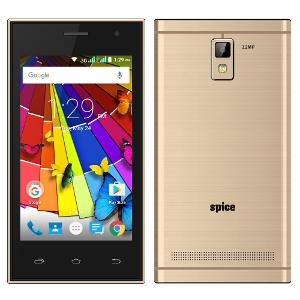
Spice Xlife 415 FRP Unlock or Google Account Bypass


Here is the tutorial about, how to unlock Spice Xlife 415 FRP lock or Google account bypass for Xlife 415? This phone can FRP unlock using fastboot frp unlock tool, see the below details to download Xlife FRP reset tool and how to use it. If you forgot the email id and password of the phone to reactivate the phone, then you need to unlock the frp lock which helps you to bypass the email verification and create a new email id to use Play store etc.

Spice Xlife 415 FRP Unlock Solution

Spice Xlife 415 FRP Unlock Solution:

1) Go to recovery mode (Volume up + Power Key).
2) Now select reboot to bootloader and press power key to reboot.
3) Now the phone will reboot into Fastboot mode.
4) Connect the phone to PC and install adb driver.
5) Now open Android Fastboot Reset Tool.
6) Enter Number 9 to remove SPD FRP and press Enter key.

That's all now the phone will reboot and you have successfully remove the FRP lock for Spice Xlife 415 and bypass Google account.


📚 You May Also Like to Read