Showing posts with label Wi-Fi Calling. Show all posts

Tuesday, March 24, 2020

VIVO Y93 Wi-Fi Calling Setup


In this post you will know about how you can enable or setup wifi calling on your vivo y93 Android smartphone so here is the step by step procedure to configure vivo y93 wifi calling setup, please go through the topic and enjoy free wifi calling on vivo Android smartphone.

How to Setup Wi-FI Calling on VIVO 1815 Phone? VIVO Y93 Wi-Fi Calling Setup Kaise Kare?


If you are using Reliance Jio and Airtel SIM in India, then you can make free wifi call on vivo y93, if you have vivo smartphone and do not know how to setup wifi calling on your vivo phone or how to setup free wifi calling on your vivo smartphone then here is the complete procedure to enable wifi calling on your volte SIM which is completely free your vivo y93 phone.

VIVO Y93 Wi-Fi Calling Setup

How to Setup Wi-Fi Calling on VIVO Y93?


  • Go to Settings
  • Then Dual SIMs and Mobile Network
  • Then scroll to Wi-Fi Calling
  • Click on Wi-Fi Calling 
  • Now turn on the switch
Go  to Vivo Y93 Settings
VIVO y93 click on Dual SIMs and Mobile Network


VIVO y93 Select Wi-Fi Calling
VIVO Y93 Enable Wi-Fi Calling Switch
In this way you can setup free wifi calling on your Vivo smartphone, so enjoy free wifi calling, if any doubt post through comments on our YouTube channel. Thank You Very Much.

Saturday, February 29, 2020

How to Enable Wi-Fi Calling on Android Smartphone?


Hi friends, in this tutorial I will describe how you can enable Wi-Fi calling on any Android smartphone, which has this feature to make free calls through Wi-Fi hotspot/Broadband with Wi-Fi router. So please go through the topic to under stand how to enable Wi-Fi calling on any Android smartphone.

As you all know, Airtel and Reliance Jio launched their free Wi-Fi calling facility, so if you are either Airtel 4G user or Reliance Jio 4G user then you can enjoy the free wifi calling to any network, using any Internet connection. To use free wifi calling facility on your Android smartphone you need to enable the wifi calling setting, so here is the complete tutorial how you can enable and make free wifi call on your Android smartphone, step by step procedure.


Enable WiFi calling on Android phone
COMPATIBLE HANDSETS:

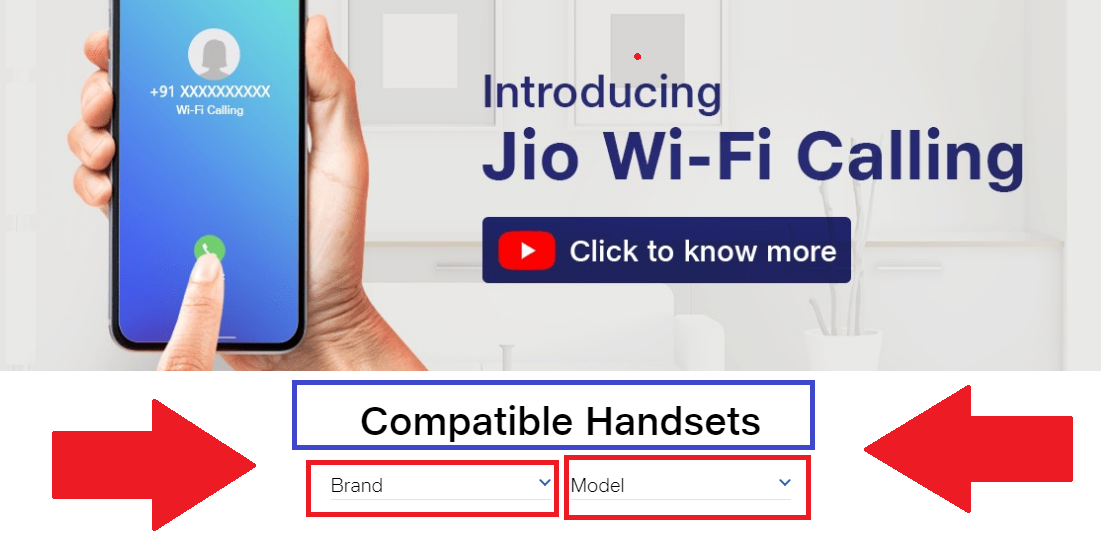
If you need to know that whether your phone supports this wifi calling feature, then here the way you can easily check the model you are using to know the device is supported or not. To check the compatibility visit the below page and select your handset brand then check the model numbers, if its there then you can use free wifi calling on your Android smartphone in India.


Wi-Fi Calling Compatible Handsets:

https://www.jio.com/en-in/jio-wifi-calling

How to Enable Wi-Fi Calling on Android Smartphone? WiFi calling compatible handsets check here

How to Enable Wi-Fi Calling on Android Smartphone?

Procedure 1:


  • Drag from the top of the screen.
  • Enable Wi-Fi Calling

Android phone Enable WiFi Calling Procedure 4

Procedure 2:


  • Go to Settings.
  • Click on Connections.
  • Click on Wi-Fi Calling
  • Then Switch on For SIM 1 SIM 2


Procedure 3:

  • Go to Settings
  • Click on Phone
  • Click on Wi-Fi Calling
  • Then Enable the switch

Procedure 4:


  • Open Phone Dial Pad
  • Click on More
  • Click on Settings
  • Switch ON Wi-Fi Calling


Android phone Enable WiFi Calling Procedure 4

In this way you can enable WiFi calling on your Android smartphone, so enable Wi-Fi calling and enjoy free wifi calling with HD voice quality on your smartphone. Thank you.

Thursday, February 27, 2020

How to Enable Wi-Fi Calling on J7? How to Make Wi-Fi Call Samsung J7


Hi friends, in this tutorial I will show how you can enable Wi-Fi calling on your Samsung J7 with step by step procedure to make a Wi-Fi call using your Android Samsung J7 smartphone, so please go through the post to know how to enable Wi-Fi calling on your Samsung J7 and how to make Wi-Fi calls on your Samsung J7 and this procedure is completely same on any Samsung smartphone with has Wi-Fi calling feature.

As you all know Wi-Fi calling has started in India and if you are using Reliance Jio or Airtel SIM card on your 4G Volte enabled handset then you can easily get the Wi-Fi calling from your operator and it's completely free of cost. So to use Wi-Fi calling you need to have a supported device with Jio or Airtel SIM card.

Samsung J7 Enable Wi-Calling? Samsung J7 Wi-Fi Call Testing

Wi-Fi calling is also called Voice Over Wi-Fi (VoWi-Fi) which allows you to make called through internet you have connected and this can be any operator Internet or broadband, just you need to connect to the Internet through the Wi-Fi and enable the option/setting then enjoy free Wi-Fi calling.


How to Enable Wi-Fi Calling on J7?

Procedure 1.

  • Open the Dial pad
  • Then click on More
  • Then click on Settings
  • Then enable Wi-Fi calling

Samsung J7 Enable Wi-Fi Calling Step By Step Procedure

Procedure 2.


  • Drag from the top
  • Then click on Wi-Fi calling


How to enable Wi-Fi calling on J7 Procedure 2

After enabling the Wi-Fi calling option you will see the Wi-Fi calling icon on your dial pad, remember which SIM has volte enabled that SIM only work for Wi-Fi calling and you must connected to the Internet.


Samsung J7 Wi-Fi Calling || Samsung J7 VoWiFi Calling || Free Wi-Fi Calling in India

Jio Wi-Fi Calling in India || Free Wi-Fi Calling on Your Phone || How to Setup Wi-Fi Calling || Reliance Jio


Hi friends welcome again to the free computer tricks website, hope you all good, today here I will tell you about Jio Wi-Fi calling feature which can be done free if you have a Wi-Fi calling supported device. Please go through the topic to know how to enable Jio Wi-Fi calling on your Mobile and all complete details of Jio voice over Wi-Fi.

Wi-Fi calling is included with your tariff plan with no additional charge, but as I said you need to have an active plan and also a Wi-Fi calling supported device. To know about supported Wi-Fi calling devices one can visit the below jio.com website and then select the brand and then see the all the supported devices of the Mobile brand.

Jio Wi-Fi Calling in India || Free Wi-Fi Calling on Your Phone || How to Setup Wi-Fi Calling || Reliance Jio
How to enable Wi-Fi Calling on your device?

How to enable Wi-Fi Calling on Apple device/ iOS device?

1. Go to Settings
2. Click on Phone
3. Click on Wi-Fi Calling
4. Enable the switch

Jio wifi calling in India how to setup

How to enable Wi-Fi Calling on Android Device?


1. Go to Settings
2. Click on Connections
3. Enable the Wi-Fi Calling Switch

or 

1. Open Phone Dialer
2. Click on More and then Settings
3. Scroll Down and Enable Wi-Fi Calling Switch

Benefits of Wi-Fi Calling?


  • Stable and clearer calls: Make crystal-clear voice and video calls over Wi-Fi.
  • Make calls from anywhere in India
  • Extended indoor coverage: Always keeps you connected in case of network dark spots
  • Works on any Wi-Fi network


For more info your can visit?

https://www.jio.com/en-in/jio-wifi-calling


📚 You May Also Like to Read