Showing posts with label YGDP Tool. Show all posts

Monday, June 11, 2018

[Solved] Coolpad Dazen 1 8297L-100 Flashing Failed at 11%


As you know you can flash Coolpad Dazen phone using YGDP flash tool and the flashing process will complete without any errors, but some of the Coolpad Dazen 1 8297L-100 or 8297L-I00 phone failed at 11% with the same YGDP Tool. There are some working methods to recover or unbrick the Coolpad Dazen 1 phone and here we will describe all possible solutions to unbrick the Coolpad smartphone or to recover the Coolpad Android smartphones. Please follow the below Methods to solve the YGDP Flashing failed at 11%, while flashing Coolpad phones.

As you know Coolpad has Qualcomm CPU and can be flashed firmware using YGDP Tool and QFIL flash tool. Coolpad Dazen Firmware, Coolpad Dazen Flash Tool Download links also provided in this tutorial. To Solve flashing process failed at 11% please follow the below methods.
How To Solve Coolpad Dazen 1 8297L-100 Flashing Failed at 11%


Coolpad Dazen Flashing Failed at 11% Solution Using YGDP Qualcomm Flash Tool:
  • Download Coolpad Dazen latest Firmware and Flash Tool (Link Given Below)
  • Charge the Battery at-least to 50% or more.
  • Now Flash the phone using YGDP Flash Tool.
  • Hold Volume Up Key and insert USB cable to the phone.
  • For complete process to flash the phone using YGDP Tool and Download Firmware and Flash Tool, Please Visit Here.
Coolpad Dazen Flashing Failed at 11% Solution Using QFIL Flash Tool:
  • Download QFIL Qualcomm Flash Tool (Link Given Below)
  • Download .CPB Firmware and Extract it Using YGDP Flash Tool.
  • Open QFIL flash tool and flash the phone.
  • Connect the phone with EDL Mode (Hold both Volume Keys and Insert USB cable)
  • To Know more about flashing with QFIL Flash Tool Please Visit Here.
How To Flash .CPB File With QFIL Flash Tool?

As you know .CPB firmware file can only be flashed with using YGDP flash tool, but do you know you can also flash the .CPB stock ROM using QFIL flash tool, which required prog_emmc_firehose.mbn and XML File rawprogram0.xml and patch0.xml. Here we will show how you can extract the .CPB firmware and flash with QFIL Flash Tool.

Steps:
  • Open YGDP Flash tool and Load the .CPB firmware.
  • When firmware loading process complete, don't close the flash tool.
  • Now go to the YGDP tool folder and find extracted firmware folder.
  • The name of the extracted firmware will be 8297L-100 or you can check any other folder to find the extracted firmware.
  • Now copy the folder to your Desktop and close the YGDP flash tool.
  • Then open the QFIL flash tool and select .mbn file and .xml file.
  • Now flash the phone with EDL mode.
So in this way you can recover the Coolpad phone and solve the flashing process failed at 11%. If the phone is dead when flashing it using YGDP flash tool then you can recover the dead boot Coolpad phone using Memory Card Method [SD Card Method Here]. If you still facing problem to solve the flashing failed error at 11%, then the phone must have some hardware fault.

Note: Although this methods are tested and working fine, but we are not responsible for any damage happens to the phone. This topic is only for tutorial purpose.

Wednesday, May 16, 2018

How to Flash Coolpad Dazen 1 8297L-100 With YGDP Tool


Coolpad Dazen 1 8297L-i00 or 8297L-100 is an Android smartphone with low budget and it has the Android Operating System and runs on Qualcomm chip-set with various facility. The manufacturer Coolpad has designed with various features smart phone called Dazen 1and it's available in India with a approx current market price of Rs. 6999/-*. Coolpad Dazen 1 is an Android base smartphone powered by Android version 4.4 KitKat with 8 Mega Pixel auto focus main camera and 5 Mega Pixel front face camera, this device also supports 4G LTE. If you looking at the other configuration it has a 1.2 GHz Qualcomm Snapdragon 410 Quad Core Processor with 2 GB RAM and supports Dual SIM with Bluetooth connectivity. It has Li-Po 2500 MAh battery with good backup times and FM Radio with a screen size of 5 inch HD IPS Touchscreen Display. If you look at the Network feature it has  GSM 850/900/1800/1900 MHz frequency band with LTE 2300 MHz frequency band. We are not promoting any Mobile manufacturer or brand as it is Tutorial portal we provide some basic information about the phone before going to repair the phone specially for the Mobile Technician.


Download Qualcomm Unlock Tool RBSoft Mobile Tool v1.6 Full 100% Working : Link

What Is YGDP TOOL?
The YGDP Tool is a tool or utility used for flashing firmware to the Android smartphones. This too can be flash or download firmware to the phone having Spreadtrum (SPD), MediaTek (MTK) and Qualcomm chip-set smartphones. To flash your Mobile device with this tool, you need to put the device into Fastboot Mode or Download Mode. In this article you will get to know how to flash Coolpad Dazen Qualcomm Android phone using YGDP Tool. Download Latest version of YGDP tool and flash Android smartphones and it's supports .CPB firmware files.

How to Flash Coolpad Dazen 1 Using YGDP Tool?
  • Open YGDP Tool (YGDP_Setup_V5.00) and click Login.
  • Now click on Config and select Coolpad Dazen 8297l-100 CPB File.
  • Then click on Apply, now it will extract the firmware and it takes some time.
  • Then click on Start and connect the Coolpad phone with Fastboot Download Mode.
  • Wait until the flashing process complete, then remove the phone and switch ON it.
How to Flash Coolpad Dazen 1 8297L-100 With YGDP Tool

How to Boot Coolpad into Fastboot Download Mode?
  • First Switch off the phone.
  • Then hold Volume Up Key and Connect the phone to Computer using USB Cable.
  • Then again press Volume Up Key to Confirm.
Downloads:
YGDP Tool V5.0 | Download 
Coolpad Dazen 1 Firmware | Download

So in this way you can flash your Coolpad Dazen 1 8297l-i00 or 8297l-100 Android smartphone. Follow the above steps and download Coolpad firmware and YGDP Tool, then flash the phone.

-:Tips Of The Day:-
You can use Miracle Box V2.54 Setup Without Using Miracle Box and Dongle - Download Here

Wednesday, May 9, 2018

How to Flash Firmware Using YGDP Tool - Yulong General Download Platform


In this article you will know how to flash stock firmware on your smartphone and you can also know how to downgrade and upgrade phone firmware. This guide is very helpful to Mobile Technicians and also other people who are looking for flashing firmware on Qualcomm chip-set smartphones and Tablets. You can also know how to recover/fix/unbrick the smartphone if it's having Software problem.

What is YGDP?
The Yulong General Download Platform (YGDP) is small Windows software which helps to flash stock firmware on the smartphones. This tool supports to flash firmware ROM on your smartphone and commonly used for Qualcomm Chipset based smartphone, but you can also this tool to flash MediaTek Chipset and Spreadtrum Chipset based smartphones. The YGDP flash tool is supports all the firmware having .CPB file extension to download firmware on your phone.
How to Flash Firmware Using YGDP Tool - Yulong General Download Platform
How to Flash Firmware Using YGDP Tool?
As I said before this tool is for flashing stock firmware on your smartphone and to use it you need to download the smartphone Firmware and YGDP Tool [Download Link] and extract the firmware and select CPB file in YGDP tool then flash the phone.

Requirements:
Download YGDP Flash Tool [Link]
You Need Smartphone CPB Firmware.
Download YGDP USB Driver Here [Link]

Steps to Flash CPB Firmware Using YGDP Tool?
  • Download Smartphone Firmware.
  • Then download YGDP Tool from the above link and extract it.
  • Now open YGDP Tool select User: Assembly Click on Login.
YGDP Tool Login - How to flash firmware uisng YGDP Tool
  • Now click on Config it will open a new Window where you can select the CPB File.
  • Now browse and select CPB file and click on Apply.
  • Then click on Start button and connect the phone to the Computer.
  • Wait until the flashing process complete (100%).

Download YGDP and QFIL Tool Latest Version Here


Here you can download YGDP and QFIL Tool latest version to flash your Android smart phone. Download Qualcomm Flash Image Loader and YGDP Official setup and tested and here we are sharing the official download link of YGDP Flash Tool and QFIL Flash Tool.
Download YGDP Flash Tool Latest Version Here

Download YGDP Tool V5.0
File Name: YGDP_Setup_V5.00.rar
Supported OS: Windows
YGDP Full Form: Yulong General Download Platform

Download:
YGDP_Setup_V5.00 [Link]

Qualcomm Flash Image Loader:
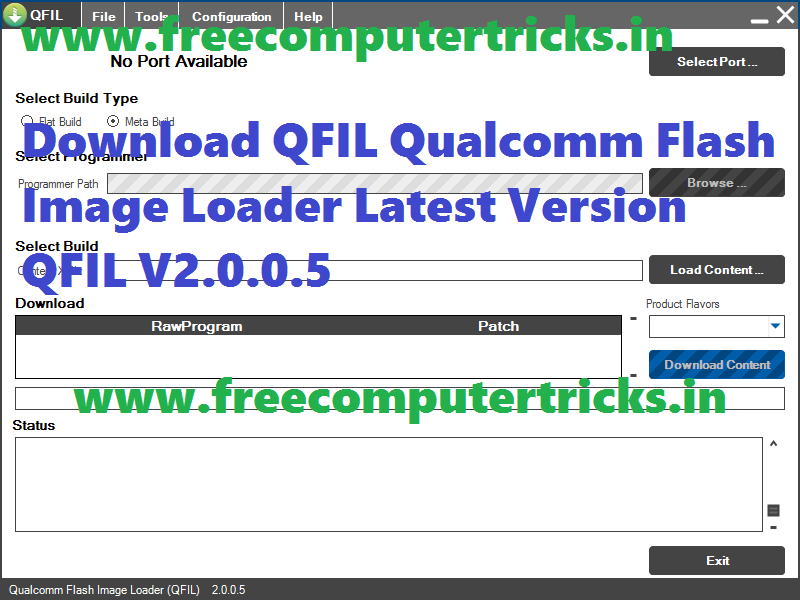
As you know Qualcomm Flash Image Loader (QFIL) is used for flashing firmware on Qualcomm chipset smartphones and tablets. Here in this page you will get the download link of QFIL latest version. QFIL is a small and portable application which helps to flash stock firmware in a Qualcomm CPU phone. Download the application from the below link then just extract it and start using, no need to install the software on your Computer.
Download QFIL Qualcomm Flash Image Loader Latest Version QFIL V2.0.0.5
Download QFIL Tool V2.0.05
File Name: Qualcomm_Flash_Image_Loader_v2.0.0.5.rar
Supported OS: Windows
Flashing Supports: Qualcomm based Firmware (.mbn)

Download:
Qualcomm_Flash_Image_Loader_v2.0.0.5 [Link]

📚 You May Also Like to Read